






























Key Insights
Professional call handling eliminates the single biggest revenue leak in window cleaning businesses. Missing calls while working on-site costs thousands annually, as most potential customers won't leave voicemail and immediately contact competitors. AI-powered services like Vida's Agent OS ensure every inquiry receives immediate professional response, qualifying leads and booking appointments directly into your scheduling system even when you're three stories up. This technology captures opportunities that would otherwise vanish, with businesses reporting 75% reductions in missed calls and corresponding revenue increases.
Route optimization delivers compounding returns that extend far beyond fuel savings. While 15-25% reductions in drive time and mileage represent significant cost savings, the real value comes from completing additional jobs daily without adding crews or vehicles. Efficient routing also improves customer satisfaction through accurate arrival windows and enables rapid response to emergency requests by identifying which team is nearest to urgent situations. These operational improvements typically generate 20-40% revenue growth within the first year of implementation.
Automated billing and payment processing transform cash flow more dramatically than any other software feature. Invoices generated immediately after job completion capture customers while they're most satisfied, while online payment options remove friction that delays check writing and mailing. Recurring automatic charges for commercial accounts eliminate collection work entirely, and friendly automated reminders handle overdue balances professionally without awkward conversations. Together, these capabilities reduce payment collection time from weeks to days while freeing hours previously spent on billing administration.
Successful implementation requires phased rollout focused on core operations before advanced automation. Businesses that rush to enable every feature simultaneously overwhelm teams and increase error likelihood, often abandoning systems entirely. Start with customer management and scheduling, prove value through measurable time savings, then gradually layer on invoicing, automated communications, and integrations. This incremental approach prevents disruption while building team confidence, with most operations seeing positive ROI within 3-6 months when implementation follows this disciplined progression.
Running a window cleaning business means juggling ladders, squeegees, and customer calls—often all at once. When you're three stories up making glass sparkle, your phone buzzes with a potential booking. You can't answer because you're harnessed to a building, and that lead calls your competitor who picks up on the second ring. Missing calls costs money, but managing scheduling, invoicing, and customer communication manually costs time you don't have.
Modern software solutions solve these operational headaches by automating routine tasks, keeping your calendar organized, and ensuring every customer inquiry gets a professional response. Whether you're a solo operator or managing a crew, the right tools help you capture more leads, reduce administrative work, and deliver consistent service that keeps clients coming back.
What Is a Window Cleaning App?
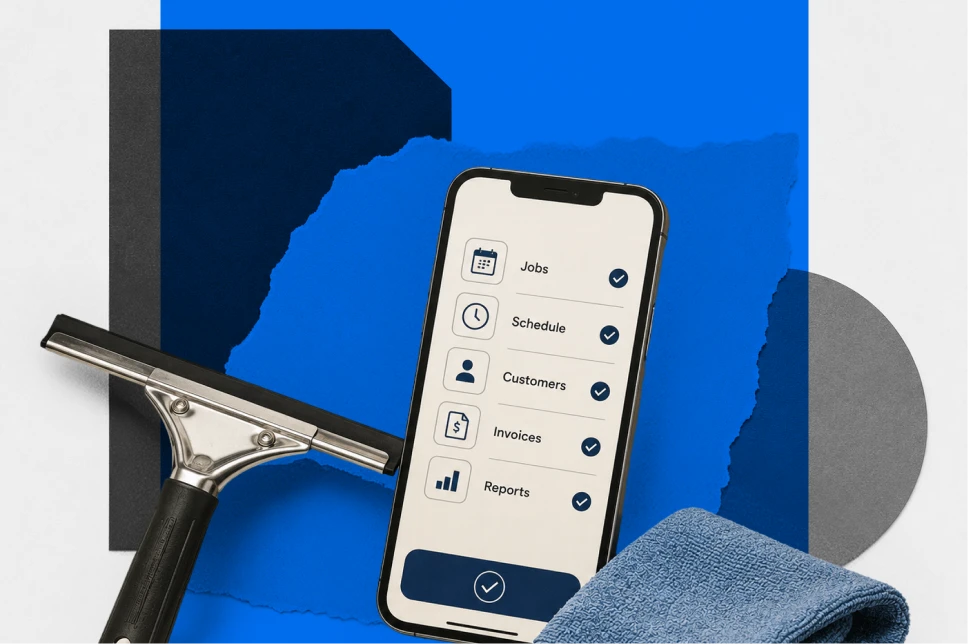
A window cleaning app is specialized software designed to manage the daily operations of window cleaning businesses. These platforms combine scheduling, customer relationship management, invoicing, and payment processing into one system accessible from mobile devices or desktop computers.
Unlike general business apps or basic spreadsheets, these solutions address industry-specific challenges: weather-related rescheduling, route optimization for multi-story buildings, recurring commercial contracts, and crew coordination across multiple job sites. They automate repetitive tasks like sending appointment reminders, generating invoices after job completion, and following up on unpaid balances.
The technology comes in three main formats. Mobile-first apps prioritize smartphone and tablet access for crews working in the field. Web-based platforms run through browsers and work across any device with internet access. Hybrid solutions offer both native mobile apps and full-featured web interfaces, letting you manage operations from anywhere.
Solo operators benefit from simplified scheduling and automated billing that eliminates hours of paperwork each week. Small teams gain crew coordination tools and GPS tracking to optimize routes and monitor progress. Larger companies need advanced features like multi-location management, detailed reporting, and integration with accounting systems.
Essential Features Every Solution Should Have
Effective software addresses specific operational challenges that window cleaning businesses face daily. Understanding which features matter most helps you evaluate options and avoid paying for capabilities you won't use.
Customer Relationship Management
A robust CRM stores complete customer histories in one searchable database. Contact information, property details, service preferences, and communication logs stay organized and accessible. When a client calls about their last cleaning or requests a quote for additional services, you can pull up their complete profile instantly.
Property-specific notes capture critical details: which windows require extra attention, access instructions for gated communities, pet warnings, or special cleaning requirements for delicate glass. This information travels with each job assignment, ensuring crews arrive prepared regardless of who handled the previous visit.
Scheduling and Calendar Management
Drag-and-drop scheduling transforms calendar management from a headache into a quick task. Visual interfaces show your team's availability at a glance, preventing double-bookings and helping you fit emergency jobs into existing routes.
Recurring appointment automation handles regular commercial contracts and residential maintenance schedules without manual intervention. Set a customer to monthly or quarterly cleaning, and the system generates appointments automatically, sending reminders to both your team and the client.
Weather-responsive rescheduling becomes critical when sudden storms cancel outdoor work. The best platforms let you quickly notify affected customers and move appointments to available slots with minimal disruption.
Route Optimization and GPS Tracking
Efficient routing saves fuel, reduces drive time, and lets you complete more jobs daily. Advanced systems calculate the fastest paths between multiple stops, factoring in traffic patterns, job duration, and crew availability.
Real-time GPS tracking shows where each team member is located throughout the day. When an urgent request comes in, you can dispatch the nearest available crew instead of guessing who might be closest. Travel time calculations help you provide accurate arrival windows to customers and bill accurately for jobs requiring significant drive time.
Quoting and Estimating Tools
Professional quotes close more deals than handwritten estimates. Template-based systems let you create consistent, branded proposals quickly. Window counting tools and measurement calculators help you price jobs accurately, whether you're quoting a small residential property or a multi-story commercial building.
Pricing calculators factor in variables like window quantity, accessibility, frequency, and special requirements. Digital approval workflows let customers review, approve, and sign quotes online, eliminating the back-and-forth of paper estimates and speeding up your sales cycle.
Invoicing and Payment Processing
Automated invoice generation converts completed jobs into professional bills instantly. The system pulls job details, applies your pricing, and sends invoices to customers without manual data entry. This eliminates errors and ensures you bill for every service provided.
Multiple payment methods—credit cards, bank transfers, digital wallets—make it convenient for customers to pay immediately. Recurring billing for regular commercial accounts charges customers automatically on schedule, improving cash flow and reducing collection work.
Payment reminders and follow-ups handle overdue invoices professionally. Automated emails or text messages prompt customers about outstanding balances without awkward phone calls, improving collection rates while maintaining positive relationships.
Customer Communication Features
Automated appointment reminders reduce no-shows significantly. Text or email notifications sent 24-48 hours before scheduled service give customers time to reschedule if needed, protecting your revenue from last-minute cancellations.
"On my way" notifications sent when crews depart for a job site keep customers informed and reduce "where are you?" calls. Two-way messaging lets customers ask questions or request changes without playing phone tag.
Customer self-service portals provide 24/7 access to appointment details, service history, and invoices. Clients can request services, approve quotes, or make payments on their schedule, reducing administrative burden on your team.
Job Documentation and Photo Capture
Before-and-after photo storage creates visual proof of completed work. Timestamped images protect you from disputes about service quality and help justify pricing for heavily soiled windows or difficult access situations.
Job completion checklists ensure crews follow consistent procedures on every visit. Digital forms capture customer signatures, special requests, and site-specific notes that improve service quality over time.
Reporting and Business Analytics
Revenue tracking and forecasting show your business performance at a glance. Dashboard views display daily, weekly, and monthly income, helping you identify trends and plan for seasonal fluctuations.
Job profitability analysis reveals which services generate the best margins and which customers are most valuable. This data guides pricing decisions and helps you focus marketing efforts on your most profitable segments.
Customer lifetime value metrics identify your best clients and help you prioritize retention efforts. Understanding which customers generate the most revenue over time informs your service strategy and resource allocation.
Evaluating Leading Platforms
The market offers numerous solutions, each with distinct strengths and ideal use cases. Understanding what each platform does best helps you match features to your specific operational needs.
All-in-One Solutions for Growing Teams
Comprehensive platforms combine every operational function into a single system. These solutions handle quoting, scheduling, dispatching, invoicing, and payment processing without requiring multiple tools. They excel for businesses transitioning from manual processes or outgrowing simpler apps.
The strength of integrated platforms lies in seamless data flow. Information entered once—a customer address, service details, pricing—automatically populates across quotes, schedules, invoices, and reports. This eliminates duplicate entry and reduces errors that occur when managing separate systems.
These platforms typically offer robust mobile apps alongside web interfaces, letting office staff manage operations while field crews access job details, update status, and communicate with customers from their phones. Pricing usually follows per-user subscription models, with costs increasing as you add team members.
Industry-Specific Platforms
Software built specifically for window cleaners addresses unique industry challenges that general field service apps miss. Features like window counting tools, water-fed pole system tracking, and specialized pricing calculators for different glass types reflect deep understanding of the trade.
These platforms often include industry-specific templates for common job types: residential exterior cleaning, high-rise commercial work, post-construction cleanup, or hard water stain removal. Pre-built workflows reduce setup time and help you start using the system productively within days rather than weeks.
The trade-off comes in breadth versus depth. Industry-specific solutions may lack advanced features found in larger platforms but excel at the core functions window cleaners use daily. They're often developed by people who've worked in the industry, resulting in intuitive interfaces that match how you actually work.
Mobile-First Experiences
Some platforms prioritize smartphone and tablet functionality above all else. These apps recognize that window cleaning crews spend most of their time away from desks, making mobile access essential rather than supplementary.
Mobile-optimized interfaces load quickly even on cellular connections and work efficiently on smaller screens. Large buttons, simplified navigation, and voice input options help crews update job status, capture photos, and process payments without fumbling through complex menus while wearing gloves.
Offline functionality becomes critical when working in areas with poor cellular coverage. The best mobile-first apps let you access job details, update status, and collect payments without internet access, syncing changes automatically when connection returns.
Free Options for Startups
Several platforms offer genuinely free tiers that provide core functionality without credit card requirements. These solutions help solo operators and new businesses get organized without upfront software costs.
Free plans typically include basic customer management, simple scheduling, and manual invoicing. Limitations appear in advanced features like automated billing, route optimization, or integrations with accounting software. Payment processing fees apply when customers pay through the platform, providing the vendor's revenue model.
These options work well for testing whether software improves your operations before committing to paid subscriptions. As your business grows, you can upgrade to paid tiers that unlock automation, team coordination, and advanced reporting.
Specialized Route Optimization Tools
Route planning software focuses specifically on creating efficient multi-stop paths. These platforms excel at complex routing scenarios: multiple crews, numerous daily stops, time windows for specific customers, and real-time adjustments for traffic or delays.
Advanced algorithms calculate fuel-efficient routes automatically, factoring in variables like one-way streets, left-turn avoidance, and customer time preferences. The time savings compound quickly when you're running multiple trucks with 10-15 stops each daily.
GPS tracking shows real-time vehicle locations and provides accurate arrival time estimates. When customers call asking when you'll arrive, you can provide precise answers instead of vague windows. This transparency improves customer satisfaction and reduces "where are you?" interruptions.
Accounting-First Platforms
Businesses already using accounting software can extend those platforms with field service add-ons or integrations. This approach prioritizes financial management and reporting while adding operational capabilities.
The advantage lies in unified financial data. Income, expenses, invoices, and payments flow directly into your accounting system without manual entry or reconciliation. Tax preparation becomes simpler when all financial information lives in one platform.
The trade-off involves potentially less sophisticated field service features compared to purpose-built solutions. Scheduling, dispatching, and customer communication may feel more basic, but the seamless accounting integration justifies this compromise for financially-focused businesses.
Comparison: Key Features and Pricing
Understanding how platforms differ in capabilities and costs helps you identify the best fit for your business size and budget.
Feature Comparison Matrix
Core features appear across most platforms but with varying sophistication. Basic customer management might mean a simple contact list in one app and a full CRM with communication history, property photos, and custom fields in another.
Scheduling capabilities range from manual calendar entry to intelligent automation that suggests optimal appointment times based on location, crew availability, and historical job duration. Route optimization might be absent, basic (manually reorder stops), or advanced (AI-powered multi-variable routing).
Payment processing universally incurs transaction fees—typically 2.5-3% for credit cards—but implementation varies. Some platforms include processing as a core feature while others require separate payment processor accounts and integrations.
Integration ecosystems differ dramatically. Popular platforms connect with hundreds of other business tools through native integrations or automation platforms. Smaller or newer solutions may offer limited connectivity, requiring manual data transfer between systems.
Pricing Structures Explained
Subscription models dominate the market, with monthly or annual billing based on features and user count. Entry-level plans typically start around $29-49 monthly for solo operators with basic features. Mid-tier plans ($79-129 monthly) add automation, integrations, and support for small teams. Enterprise tiers ($200+ monthly) include advanced reporting, multi-location management, and priority support.
Per-user pricing scales with team size. Adding crew members costs $10-30 monthly per person, depending on the platform and feature tier. This model works well for growing businesses but can become expensive for larger teams.
Transaction-based pricing charges fees only when customers pay through the platform. Some providers offer free core software with revenue coming entirely from payment processing fees. This approach eliminates monthly subscriptions but costs more if you process significant payment volume.
Free tiers provide basic functionality permanently without payment. Limitations typically include customer count caps, feature restrictions, and reduced support. These work for testing software or running very small operations but most businesses eventually need paid features.
Platform Compatibility Considerations
iOS and Android app quality varies significantly. Some platforms offer feature parity between mobile and web versions while others provide limited mobile functionality. Check whether the apps support offline work, as cellular coverage can be spotty in certain areas.
Browser-based platforms work across any device with internet access but may lack the polish and speed of native apps. Progressive web apps attempt to bridge this gap, offering app-like experiences through browsers.
Device requirements matter for crews using older smartphones or tablets. Verify that your team's existing hardware supports the software before committing, or factor replacement costs into your budget.
Choosing the Right Solution for Your Business
Selecting software requires honest assessment of your current operations, growth plans, and team capabilities. The most feature-rich platform isn't always the best choice if it's too complex for your needs or budget.
Assess Your Business Size and Growth Trajectory
Solo operators need different tools than five-person crews or 20-employee companies. If you're working alone now but plan to hire within six months, choose software that scales rather than outgrowing your initial choice quickly.
Current job volume influences which features matter most. Running 5-10 appointments weekly makes manual scheduling manageable, but 30+ weekly jobs demand automation. Consider where you'll be in 12 months, not just today.
Revenue targets affect budget allocation. Spending $100 monthly on software makes sense at $10,000 monthly revenue but feels excessive at $2,000. Most experts recommend keeping software costs under 2-3% of gross revenue.
Identify Your Biggest Operational Pain Points
List the tasks that consume the most time or cause the most frustration. Missing customer calls? Focus on solutions with strong communication features or consider pairing your chosen platform with professional call handling services like our AI Agent OS at Vida, which ensures every inquiry gets immediate professional response even when you're on ladders.
Spending hours weekly on invoicing and payment collection? Prioritize platforms with robust automated billing and payment processing. Wasting fuel with inefficient routes? Route optimization becomes your critical feature.
Survey your team about their daily challenges. Field crews may struggle with accessing job details or communicating with customers, while office staff might drown in scheduling requests and payment follow-ups. The right software addresses pain points across your entire operation.
Budget Considerations and Pricing Models
Calculate total cost of ownership beyond monthly subscriptions. Factor in payment processing fees (typically 2.5-3% of transaction value), setup costs, training time, and potential hardware upgrades.
Compare subscription models against transaction-based pricing using your actual numbers. If you process $20,000 monthly in payments, a 3% transaction fee costs $600—much more than most subscriptions. Conversely, if you process only $3,000 monthly, transaction-based pricing might cost less than subscriptions.
Annual billing typically offers 10-20% discounts versus monthly payments. If you're confident in your choice after a trial period, annual commitments reduce costs.
Technical Requirements and Device Compatibility
Inventory your existing technology. How many team members need access? What devices do they use? Do you have reliable internet at your office, or do you work entirely mobile?
Internet dependency matters for businesses in areas with spotty cellular coverage. Offline-capable apps let crews access job details and update status without connectivity, syncing changes when signal returns.
Integration requirements depend on your existing tools. If you're committed to specific accounting software, payment processors, or marketing platforms, verify compatibility before choosing field service software.
Team Adoption and Ease of Use
The most powerful software fails if your team won't use it. Involve crew members in the evaluation process—they'll be using mobile apps daily and can identify interface issues you might miss.
Assess your team's technical comfort level honestly. Tech-savvy crews can handle complex platforms with steep learning curves. Less technical teams need intuitive interfaces with minimal training requirements.
Implementation time affects productivity. Simple platforms might be running smoothly within days, while complex systems could take weeks to configure properly. Consider whether you can afford the temporary productivity dip during transition.
Trial Period Strategies
Most platforms offer 14-30 day free trials. Use this time strategically rather than just clicking around. Set up your actual customer data, schedule real jobs, and process test payments.
Involve your entire team during trials. Have field crews use mobile apps on actual job sites, not just in the office. Test customer-facing features by sending quotes and invoices to yourself or friendly clients.
Document problems and questions during trials. Contact support with realistic scenarios to evaluate their responsiveness and helpfulness. Poor support during the trial predicts poor support after you're paying.
Test critical workflows end-to-end: customer inquiry → quote → approval → scheduling → job completion → invoicing → payment. Identify friction points where the software makes processes harder rather than easier.
Essential Complementary Tools
No single platform handles every business need perfectly. Building an integrated tech stack with specialized tools for specific functions often delivers better results than forcing one app to do everything.
Call Handling and Customer Communication
Missing calls costs window cleaning businesses thousands in lost revenue annually. When you're three stories up or driving between jobs, incoming calls go to voicemail—and most potential customers won't leave messages.
Professional call handling services ensure every inquiry receives immediate, courteous response. Our AI Agent OS at Vida combines intelligent automation with human expertise to answer calls 24/7, qualify leads using your specific criteria, and book appointments directly into your scheduling system. The technology handles routine inquiries automatically while escalating complex situations to human agents, giving customers the responsive service they expect without requiring you to carry your phone up ladders.
Integration with your field service software creates seamless workflow. When Vida books an appointment, it appears instantly in your calendar with complete customer information. Emergency rescheduling during weather events gets handled professionally while your crews focus on securing equipment and notifying on-site customers.
Reputation Management Platforms
Online reviews influence customer decisions significantly. Reputation management tools automate review collection by sending requests via text or email immediately after job completion—when customers are most satisfied and likely to respond.
These platforms monitor multiple review sites simultaneously, alerting you to new feedback across Google, Facebook, and industry-specific directories. Quick responses to negative reviews demonstrate professionalism and often convert frustrated customers into loyal advocates.
Automated social media posting showcases positive reviews to potential customers browsing your Facebook page or Instagram profile. This social proof builds trust before prospects even contact you.
Photo Documentation Tools
Specialized photo apps offer advantages over basic smartphone cameras. Timestamped images prove when work was completed, protecting you from disputes. Automatic cloud syncing ensures photos never get lost when phones break or get replaced.
Organization features tag photos by job location, customer, and date automatically. When a property manager asks about work completed six months ago, you can pull up documentation instantly rather than scrolling through thousands of camera roll images.
Before-and-after galleries make powerful marketing content. Dramatic transformations from heavily soiled to sparkling clean windows demonstrate your expertise more effectively than any written description.
Weather Tracking Apps
Hyperlocal forecasts help you make informed decisions about whether to start outdoor work or reschedule. General weather apps provide city-wide predictions, but conditions can vary significantly between neighborhoods.
Customizable severe weather alerts notify your entire team about incoming storms, giving everyone time to secure equipment, inform customers, and adjust schedules safely. Wind speed alerts become critical when crews work on elevated platforms or with ladders.
Historical weather data helps you identify seasonal patterns and plan marketing campaigns. Knowing when spring pollen typically creates heavy window soiling lets you time promotional offers for maximum impact.
Marketing Automation Tools
Email marketing platforms keep your business top-of-mind with past customers. Automated campaigns send spring cleaning reminders to dormant accounts, announce seasonal promotions, or share maintenance tips that position you as the local expert.
Segmentation features let you send targeted messages to different customer groups. Residential clients might receive home maintenance tips while commercial property managers get case studies demonstrating your reliability and attention to detail.
Integration with your customer database ensures marketing lists stay current automatically. New customers added to your field service software appear in marketing campaigns without manual export and import.
Building an Integrated Tech Stack
The most effective technology ecosystems connect specialized tools rather than forcing one platform to handle every function. Automation platforms like Zapier or Make connect different apps, triggering actions automatically when specific events occur.
Example workflow: When a customer approves a quote in your field service software, automation creates the appointment, adds the customer to your email marketing list, and schedules a review request for after job completion. This happens instantly without manual intervention.
Start with core operations—scheduling, invoicing, payments—then add complementary tools that address specific pain points. This incremental approach prevents overwhelming your team with too many new systems simultaneously.
Implementation Best Practices
Successfully adopting new software requires planning, training, and patience. Rushing implementation or skipping critical steps leads to frustrated teams, confused customers, and abandoned systems.
Data Migration from Existing Systems
Moving customer information, job history, and financial records from spreadsheets or old software takes careful planning. Start by cleaning your data—remove duplicates, fix formatting inconsistencies, and verify contact information accuracy.
Most platforms provide import templates specifying exactly how to format data for successful upload. Follow these precisely to avoid import failures or corrupted records. Test with a small batch of customers first, verifying everything imports correctly before loading your entire database.
Historical data importance varies by business. Recent customers and active accounts matter most. Records from five years ago may not justify the time required to migrate them—consider starting fresh and referencing old systems only when needed.
Team Training and Onboarding Strategies
Hands-on training beats video tutorials for most teams. Walk through actual workflows together: creating quotes, scheduling jobs, updating status, processing payments. Let team members practice with real scenarios rather than generic examples.
Role-specific training prevents overwhelming people with features they won't use. Field crews need mobile app proficiency—accessing job details, updating status, communicating with customers. Office staff need scheduling, customer management, and reporting capabilities.
Create simple reference guides documenting your specific processes. Screenshots showing where to click and what information to enter help team members when they forget steps after training sessions end.
Designate a software champion—someone tech-savvy who learns the system deeply and becomes the go-to resource when others have questions. This reduces support ticket volume and provides faster answers than waiting for vendor support responses.
Customer Transition Communication
Inform customers about changes that affect them before implementation. If you're introducing online booking, explain the convenience benefits. If you're switching to automated payment processing, describe how it simplifies billing.
Provide clear instructions for new customer-facing features. Send emails with screenshots showing how to approve quotes online, access the customer portal, or pay invoices electronically. Offer phone support for less technical customers who need extra help.
Maintain old processes temporarily during transition. Continue accepting paper checks even after implementing online payments, for example. Forcing abrupt changes frustrates customers who prefer familiar methods.
Setting Up Workflows and Automations
Start with basic configurations before enabling advanced automation. Get comfortable with core functions—creating customers, scheduling jobs, sending invoices—before layering on automated reminders, recurring billing, and complex integrations.
Test automated communications thoroughly before activating them for all customers. Send yourself appointment reminders, invoice notifications, and payment confirmations to verify messaging, timing, and branding appear correctly.
Document your automation rules clearly. When someone asks "why did this customer receive that message?" you should be able to explain exactly which trigger caused which action. This prevents confusion and helps you troubleshoot when automations don't work as expected.
Common Implementation Mistakes to Avoid
Trying to implement everything simultaneously overwhelms teams and increases error likelihood. Phase your rollout: start with customer management and scheduling, add invoicing next, then layer on advanced features gradually.
Skipping training to "save time" backfires when team members can't use the software effectively. Invest hours upfront training properly rather than losing weeks to inefficient workarounds and mistakes.
Ignoring customer feedback during transition creates frustration. When clients report confusion about new processes or difficulty using customer-facing features, address issues quickly rather than dismissing concerns.
Abandoning old systems too quickly leaves you without fallback options when problems occur. Maintain parallel systems briefly during transition, giving yourself safety nets if critical data didn't migrate properly or workflows don't function as expected.
Timeline Expectations for ROI
Most businesses see positive returns within 3-6 months of proper implementation. Time savings from automated invoicing, reduced missed appointments, and efficient routing accumulate quickly.
Initial productivity often dips during the first 2-4 weeks as teams learn new processes. This temporary slowdown is normal and expected—don't panic or abandon the system during this adjustment period.
Measure specific metrics to track improvement: time spent on administrative tasks, payment collection speed, missed call frequency, fuel costs, customer retention rates. Concrete numbers prove ROI more effectively than subjective feelings about whether software is "working."
Real-World Success Metrics
Understanding how other window cleaning businesses have benefited from technology adoption helps set realistic expectations and identify opportunities for your own operation.
Solo Operator Scaling to Team
Many one-person operations hit growth ceilings where the owner can't take more jobs without hiring help. Software enables this transition by creating systems that work without the owner's constant involvement.
One common pattern: solo operators implement scheduling and customer management software, then add professional call handling. This combination lets them focus on actual cleaning while ensuring no opportunities slip through. Within 6-12 months, consistent lead capture and efficient operations generate enough revenue to justify hiring a first employee.
The software provides structure for training new crew members. Instead of explaining processes verbally and hoping people remember, new hires access job details, customer notes, and checklists digitally. This consistency improves service quality even as the team grows.
Commercial Company Efficiency Gains
Businesses serving commercial properties often manage complex schedules across multiple buildings, each with specific access requirements, contact protocols, and service frequencies. Manual coordination becomes nearly impossible beyond a certain scale.
Route optimization delivers substantial fuel savings—often 15-25% reductions in drive time and mileage. For companies running multiple trucks daily, this translates to thousands in annual fuel cost savings plus the ability to complete more jobs without adding vehicles or crew members.
Automated billing for recurring commercial contracts eliminates hours of monthly invoicing work. Property managers receive invoices automatically after each service, improving payment speed and reducing collection efforts.
Residential Service Provider Communication Improvements
Residential customers expect responsive communication and convenient service options. Businesses that implement automated appointment reminders, on-the-way notifications, and online payment options report dramatically reduced no-shows and faster payment collection.
One measurable impact: reducing missed calls by 75% through professional call handling services. When potential customers reach a knowledgeable representative instead of voicemail, conversion rates increase substantially. The difference between "I'll call back later" (they won't) and "I'd like to schedule for next Tuesday" (booked immediately) compounds over hundreds of annual inquiries.
Customer self-service portals reduce interruptions for routine questions. Instead of calling to ask "when's my next cleaning?" or "can I see my invoice?" customers access this information themselves 24/7, freeing your time for revenue-generating activities.
Quantifiable Results Across Operations
Time savings manifest across multiple areas. Automated invoicing reduces billing time from hours to minutes weekly. Route optimization cuts drive time by 30-60 minutes daily. Professional call handling eliminates phone tag and scheduling back-and-forth.
Revenue growth stems from multiple sources: capturing more leads through better availability, fitting more jobs into each day through efficient routing, and reducing no-shows through automated reminders. Businesses commonly report 20-40% revenue increases within the first year of implementing comprehensive software solutions.
Customer retention improves when service becomes more reliable and communication more professional. Satisfied customers who receive consistent service and responsive communication become repeat clients and refer friends, reducing your customer acquisition costs over time.
Common Challenges and Solutions
Even with excellent software, window cleaning businesses face operational challenges that technology helps manage but doesn't eliminate entirely.
Dealing with Weather Disruptions
Weather remains the biggest scheduling challenge for window cleaners. Rain, high winds, and extreme temperatures force last-minute cancellations and mass rescheduling.
Software solutions provide tools for rapid response. Batch rescheduling features let you move an entire day's appointments with a few clicks rather than calling each customer individually. Automated notifications inform affected customers immediately, maintaining professionalism even during chaos.
Weather-based routing helps you stay productive during partial disruptions. When morning rain clears by noon, the system can identify which jobs to prioritize based on location, customer flexibility, and remaining daylight hours.
Managing Seasonal Fluctuations
Window cleaning demand varies significantly by season in most markets. Spring and fall typically bring surges while summer and winter slow down. This creates feast-or-famine cash flow and staffing challenges.
Software helps smooth these fluctuations through automated marketing. Schedule email campaigns promoting spring cleaning services to send in late winter, capturing bookings before peak season arrives. Fall campaigns remind commercial clients about year-end cleaning before holidays.
Flexible scheduling tools help you maximize revenue during busy periods by fitting more jobs into available time. During slow seasons, the same tools help you identify gaps where you can offer discounts to fill empty calendar slots.
Handling Emergency Requests
Emergency situations—broken windows, storm damage, urgent cleaning before important events—require immediate response but disrupt carefully planned schedules.
GPS tracking shows which crew is nearest to emergency locations, enabling quick dispatch decisions. Mobile apps let you reassign existing appointments rapidly, notifying affected customers about slight delays while accommodating urgent requests.
Professional call handling becomes particularly valuable for emergencies. When distressed customers call about urgent situations, they reach a calm, professional representative who can assess the situation, check crew availability, and provide immediate solutions rather than voicemail that might not get checked for hours.
Reducing No-Shows and Cancellations
No-shows waste time, fuel, and revenue. Automated appointment reminders dramatically reduce this problem by prompting customers 24-48 hours before scheduled service.
Two-way communication in these reminders lets customers confirm or reschedule easily. A simple "Reply Y to confirm, R to reschedule" text message gives customers convenient options while giving you advance notice of changes.
Deposit collection for first-time customers or large jobs reduces no-show risk. When customers have financial commitment to appointments, they're far more likely to be available or provide advance cancellation notice.
Improving Payment Collection Rates
Slow payment collection damages cash flow and requires time-consuming follow-up. Automated invoicing immediately after job completion captures customers while they're most satisfied and likely to pay.
Online payment options remove friction from the payment process. Customers can pay invoices from their phones in seconds rather than writing checks, finding stamps, and mailing payments.
Automated payment reminders handle overdue invoices professionally without awkward conversations. Friendly text or email reminders prompt customers about outstanding balances, improving collection rates while maintaining positive relationships.
Recurring automatic payments for regular commercial accounts eliminate collection work entirely. Customers authorize automatic charges, and the system processes payments on schedule without any manual intervention.
Future Trends in Business Technology
Technology continues evolving rapidly, with several emerging trends particularly relevant to window cleaning operations.
AI-Powered Scheduling Optimization
Artificial intelligence is moving beyond basic route optimization to predictive scheduling that factors in historical job duration, traffic patterns, weather forecasts, and crew performance. These systems learn from past data to suggest optimal appointment times and crew assignments automatically.
Machine learning algorithms identify patterns humans miss. They might notice that certain property types consistently take 20% longer than estimated, or that specific crew pairings complete jobs faster. The system adjusts future scheduling automatically based on these insights.
Automated Customer Communication
AI-powered communication tools are becoming increasingly sophisticated at handling routine customer interactions. These systems can answer common questions, provide quote estimates, schedule appointments, and handle rescheduling requests without human intervention.
Our AI Agent OS at Vida represents this evolution, combining intelligent automation with human expertise. The system handles straightforward inquiries instantly while recognizing complex situations that require human judgment, seamlessly transferring those conversations to professional agents. This hybrid approach delivers the efficiency of automation with the empathy and problem-solving capability that only humans provide.
Predictive Maintenance and Weather Integration
Advanced systems are beginning to integrate weather data more deeply, automatically suggesting schedule adjustments days in advance based on forecast changes. Rather than reacting to weather disruptions, you can proactively reschedule before problems occur.
Predictive analytics might identify that certain commercial properties require cleaning more frequently during specific seasons based on environmental factors, automatically suggesting schedule adjustments to maintain appearance standards.
Augmented Reality for Estimates
Emerging augmented reality tools let you create accurate estimates using smartphone cameras. Point your phone at a building, and the app counts windows, measures dimensions, and calculates pricing automatically. This technology reduces estimating time and improves accuracy.
AR might eventually guide crew members through complex jobs, overlaying instructions or safety warnings directly onto their view of the work site through smart glasses or phone screens.
IoT Equipment Monitoring
Internet-connected equipment can report performance data, maintenance needs, and potential failures before they occur. Water-fed pole systems might monitor water quality and filter status, alerting you when maintenance is needed. Vehicle tracking could extend beyond GPS to include fuel levels, maintenance schedules, and performance diagnostics.
These technologies remain emerging rather than mainstream, but early adopters gain competitive advantages through increased efficiency and reliability.
Taking Action
Choosing and implementing the right software transforms window cleaning operations from chaotic to systematic. Start by identifying your most pressing operational challenges—the problems costing you the most time, money, or customer satisfaction.
Evaluate platforms based on how well they address your specific pain points rather than chasing the most features or lowest price. Take advantage of free trials to test software with real data and actual workflows before committing.
Remember that no single platform handles every business need perfectly. Building an integrated tech stack with specialized tools often delivers better results than forcing one app to do everything. Consider how professional call handling complements your field service software, ensuring every customer inquiry receives immediate, professional response even when you're on ladders or between jobs.
Implementation requires patience and commitment. Invest time in proper training, data migration, and process documentation. The temporary productivity dip during transition pays dividends through years of improved efficiency.
Start small, prove value, then expand. Get core functions working smoothly before enabling advanced automation. Involve your team in the process, addressing their concerns and incorporating their feedback. The software that works best is the one your team actually uses consistently.
Technology won't solve every business challenge, but the right tools free you from administrative burden to focus on what you do best: delivering exceptional window cleaning service that keeps customers coming back and referring friends. The businesses thriving in competitive markets aren't necessarily better at cleaning windows—they're better at being available, organized, and responsive when opportunities arise.
